
Markets
Understanding Market Performance Across Retail Areas
The Markets section helps you understand retail performance across entire shopping areas — revealing how your locations stack up within the local competitive landscape.
Each Market represents a retail cluster, such as a shopping mall, strip mall, or downtown district, letting you evaluate demand, consumer behavior, and competition in context.

What This Section Does
The Markets view brings together multiple data layers — visits, visitors, spend, and trips — to provide a complete picture of market performance.
Each market aggregates foot traffic and spending behavior across all locations in a retail node, enabling you to identify growth opportunities or underperforming areas.
Users can also explore market-level metadata (type, classification) and share or bookmark specific views directly from the header.
Key Features
- Market Metadata: View core details such as the market type (e.g., Super-Regional Center) at the top of the page. Use the Bookmark or Copy link options to save and share your current view.

- Filter Controls: Add benchmarks to compare performance against peer markets or regional averages. Adjust date ranges and comparison periods (e.g., vs. previous year).
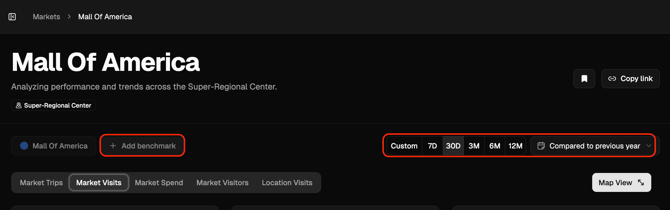
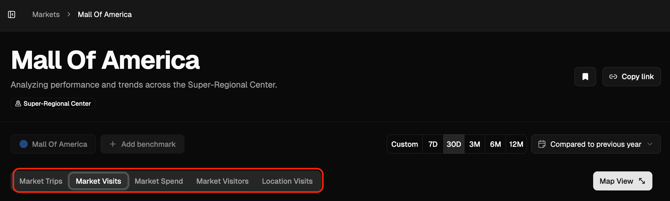
- Metric Tabs: Switch between Market Trips, Market Visits, Market Spend, Market Visitors, and Location Visits for multi-dimensional insights.
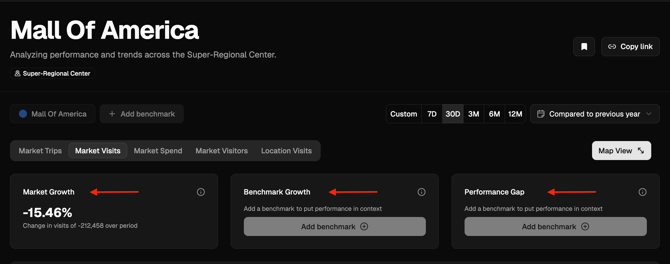
- Metric Cards: Instantly assess growth rates, benchmark performance, and performance gaps. For example, Market Growth: -2.33% indicates a decline in visits compared to the previous period.
- Trend Graph: Visualize market activity over time. Choose your metric, graph type, and time interval to tailor analysis.

- Map View: Explore Market Locations and nearby Markets on a geographic map. Apply filters and metric overlays to understand spatial performance patterns.

Why It Matters
By combining visit, spend, and trip data, the Markets view provides a holistic understanding of local retail health.
It’s where you can benchmark your own performance, identify rising markets, and plan investment or marketing efforts based on real consumer movement.
Use Cases
- Benchmark Performance: Compare your locations to market-level trends or peer benchmarks.
- Evaluate Demand: Identify growth or decline in visits to gauge shifts in consumer behavior.
- Understand Audiences: Use the Market Visitors tab to explore visitor demographics and psychographics.
- Assess Competition: View nearby markets and retail nodes using Map View.
- Analyze Spend & Trips: If your account includes the Spend or Trips modules, uncover trends in sales transactions and parking activity.
Next Steps
- Visit the Locations or Brands sections to see what’s driving performance within your markets.
- Explore Reports to export insights for deeper analysis or presentations.