![logo-2 (1)-Oct-10-2023-11-05-48-5121-AM.png]](https://help.passby.com/hs-fs/hubfs/logo-2%20(1)-Oct-10-2023-11-05-48-5121-AM.png?height=50&name=logo-2%20(1)-Oct-10-2023-11-05-48-5121-AM.png)
Once you're reviewing potential units for site selection, the Tenant Finder helps you assess how well each site fits your brand.
Getting Started
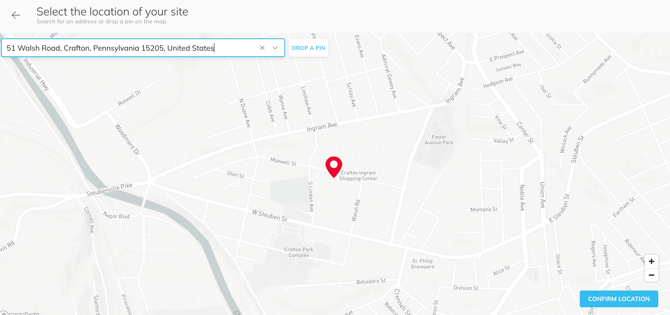
When you open the Tenant Finder report, you'll be prompted to enter the address of the site you're evaluating.
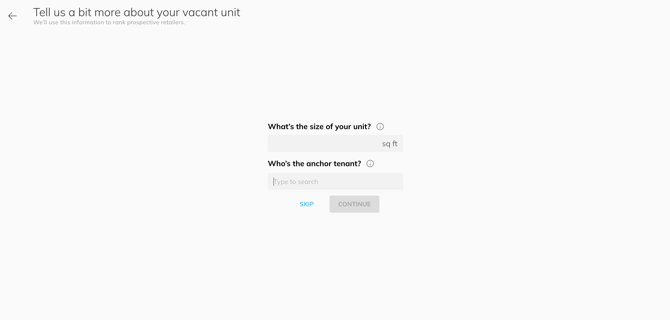
You’ll then be asked to input the square footage and anchor tenant information. These fields are required and will improve the accuracy of the results.
Viewing Your Brand's Score
By default, the report displays scores for all brands in the platform. To view only your brand:
-
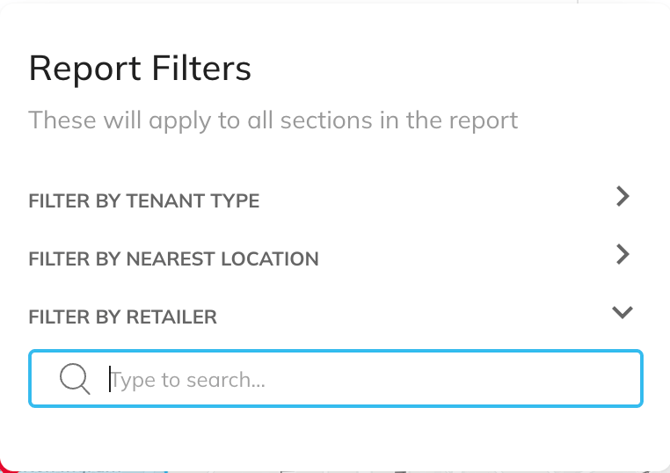
Click the filter icon in the top right corner.
-
Locate the “Filter by Retailer” option.
-
Type in your brand name.
-
Deselect “Select All” and select only your brand.
-
Click Apply to update the report.
You’ll now see a score for your brand, rated from 0 to 10. A score of 10 indicates that the site is an ideal match for your store.

Understanding the Score
The total score is an average of five equally weighted components:
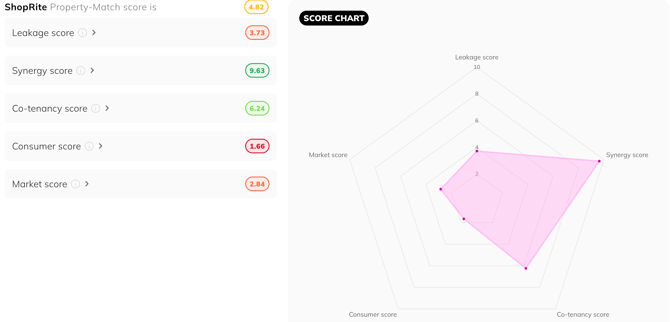
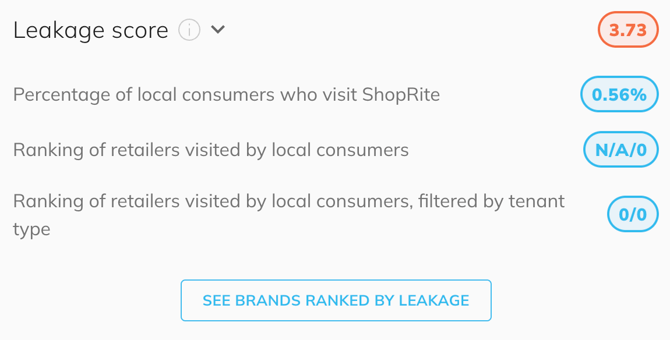
Measures the percentage of local shoppers who already visit your store network. Based on the trailing 12 months.
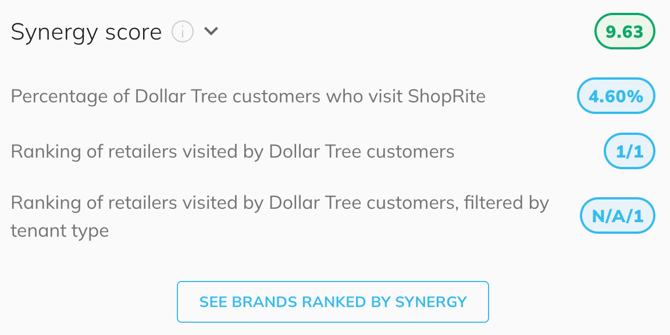
Looks at the overlap between the anchor tenant's customers and your own. This is specific to the individual store at the site, not the wider brand. Based on the past 12 months.
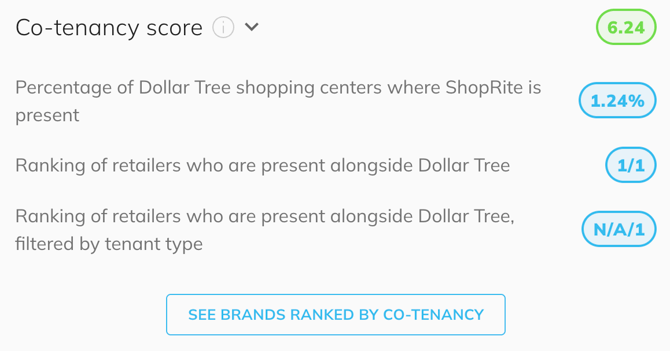
Evaluates how often your brand and the anchor brand co-locate at other sites, reflecting historical co-tenancy patterns.
Compares the local area's demographics with your typical customer profile, helping you assess if the local market aligns with your core audience.
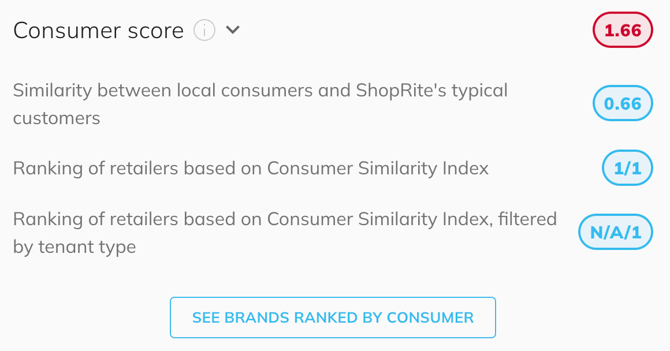
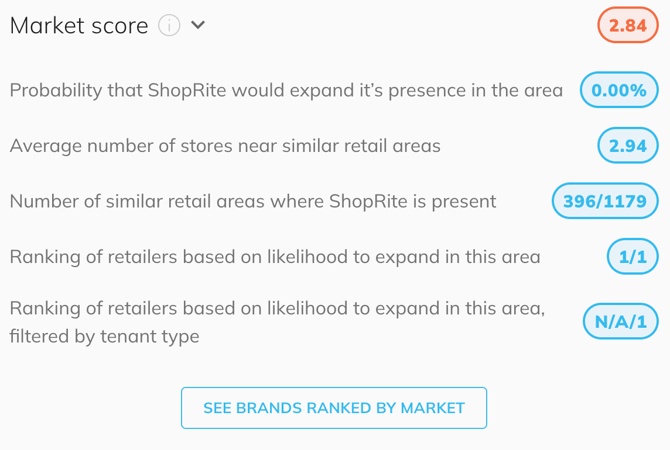
Analyzes how similar the local area is to your current store locations, based on a range of market attributes. Indicates how likely it is that your brand would choose to locate in this type of area.